Code Review using StackSpot AI
StackSpot AI assists you in quickly analyzing your code by providing initial feedback on best practices, potential vulnerabilities, and areas that need improvement. This enables you to fix and enhance your code immediately after opening a Pull Request.
Moreover, StackSpot AI identifies opportunities for improvement and highlights critical issues, while also suggesting new implementations, such as unit tests.
What does the Code Review deliver?
The Code Review is grounded in best practices for programming languages, the SOLID principles, Clean Code guidelines, and accessibility standards (WCAG). Here’s what it offers:
- Generate a complete changelog of the changes made to your code;
- Analyze accessibility according to WCAG (Web Content Accessibility Guidelines) recommendations;
- Perform a Code Review based on your platform, checking aspects such as:
- Compilation or runtime errors and possible vulnerabilities;
- Performance improvements;
- Syntax, formatting adjustments, and best practice suggestions;
YML files for each platform
To download the file, click the link for the language you need:
- Android (Kotlin)
- iOS (Swift)
- Angular
- Java
- Python
- Generic: use this if your project’s language is not listed above.
How to add the Code Review
Follow these steps to use StackSpot AI’s Code Review:
Step 1: Download the appropriate file for your platform. The file should be named 0-stackspot-ai-code-analysis.yml;
Step 2: Save the file in your module’s .github/workflows directory;
Step 3: Commit the file to your branch and open a Pull Request;
That's it! StackSpot AI’s Code Review will automatically begin running on your Pull Request.
How does the changelog generated by StackSpot AI work?
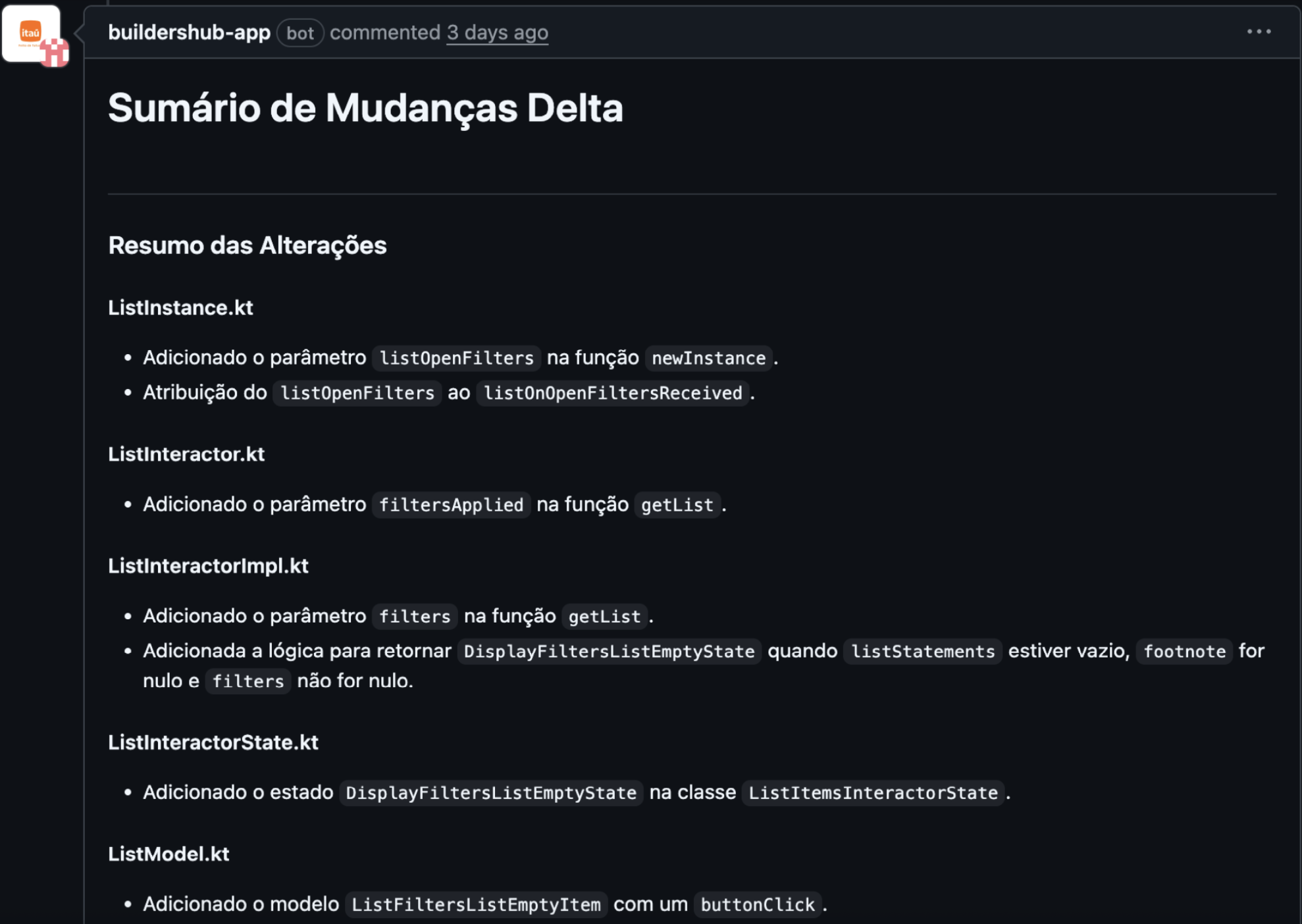
StackSpot AI automatically creates a changelog as a comment on your Pull Request. This summary is based on the git diff command and displays everything that was changed, removed, or added in your code. This allows you to quickly review the modifications made in each file involved in the Pull Request.
How does StackSpot AI’s Accessibility Analysis (WCAG) work?
StackSpot AI can function as an Accessibility Agent by analyzing your code changes based on the Web Content Accessibility Guidelines (WCAG). The goal is to help you ensure that your code complies with accessibility standards, providing an inclusive experience for all users.
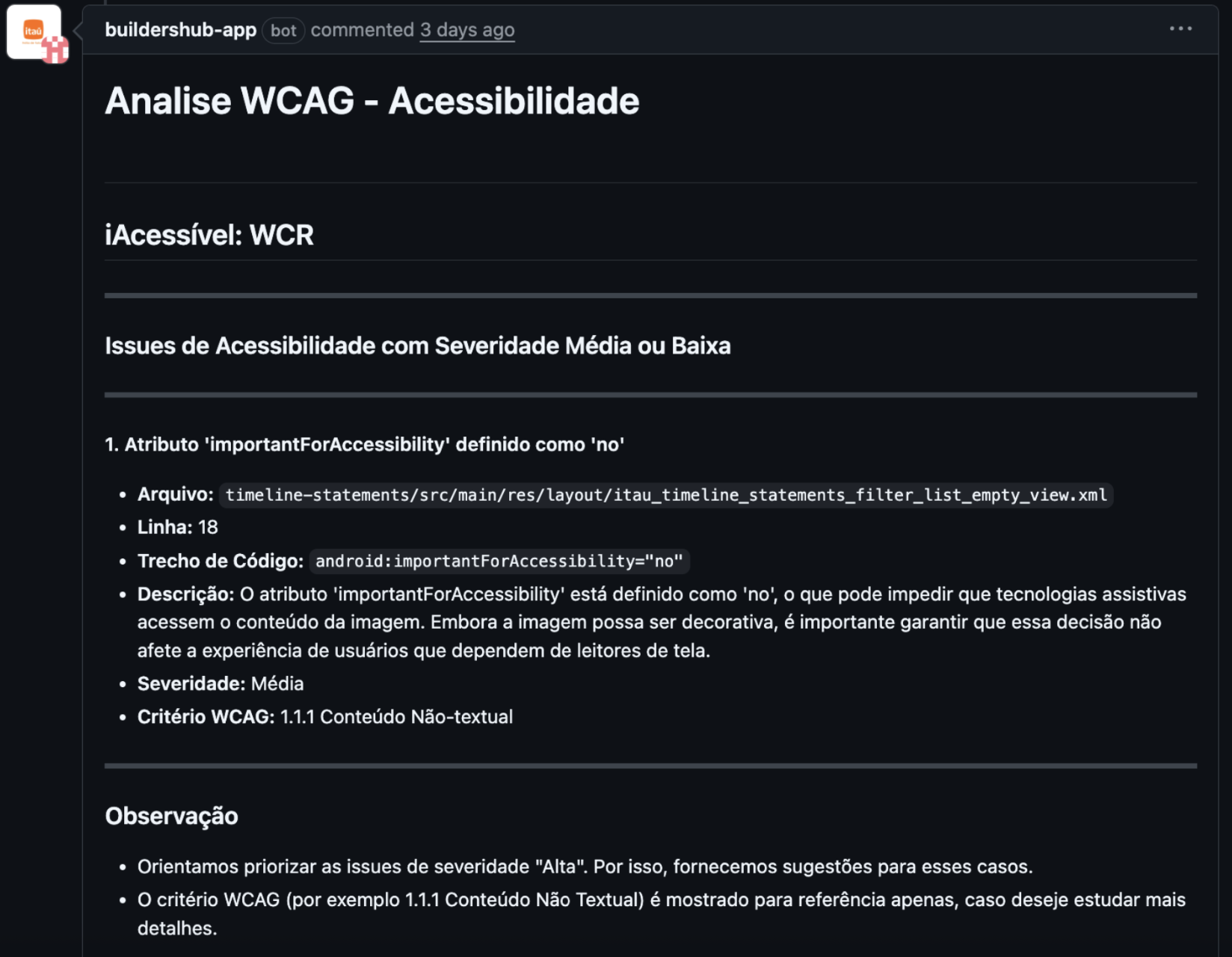
The analysis results will highlight possible issues classified by severity: High, Medium, or Low. For high-severity issues, we recommend addressing them as soon as possible. StackSpot AI also provides correction suggestions to assist you.
Each issue found will include detailed information such as:
- The file name;
- Line number;
- Severity level;
- And a description of the issue.
How does Code Review with StackSpot AI work?
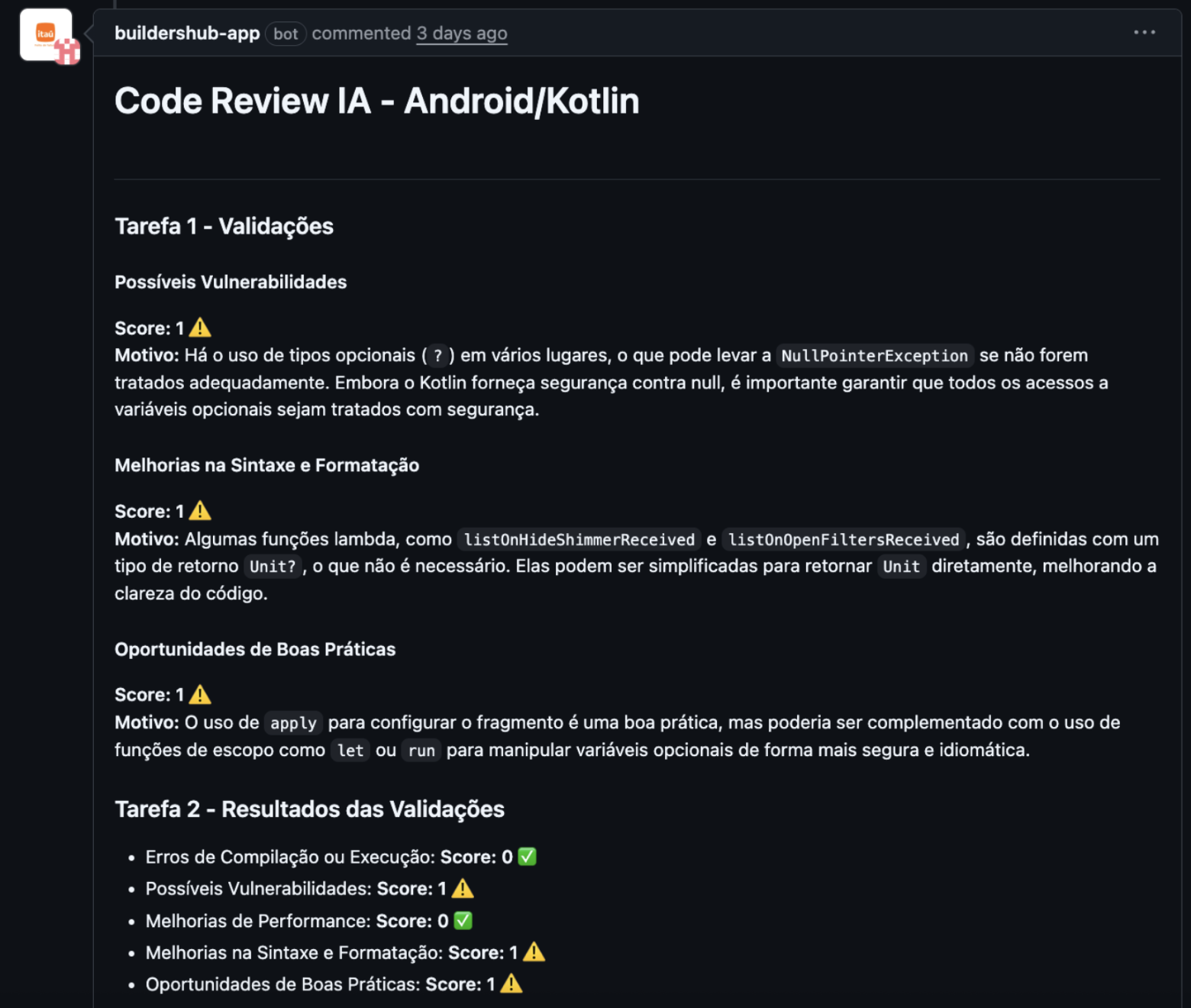
When you open a Pull Request, StackSpot AI evaluates your code based on language best practices, as well as principles like SOLID and Clean Code.
The main validations are based on the following points:
- Compilation or runtime errors;
- Possible vulnerabilities;
- Performance improvements;
- Improvements in syntax and formatting;
- Opportunities for best practices.
Each validation receives a score of 0, 1, or 2.
- Score 0: No problems found, or it’s excellent in this aspect;
- Score 1: Some points need attention or minor improvements;
- Score 2: Significant issues that need urgent correction;
For every item scored 1 or 2, StackSpot AI recommends improvements, explains the significance of each suggestion, and demonstrates how to implement the fixes.
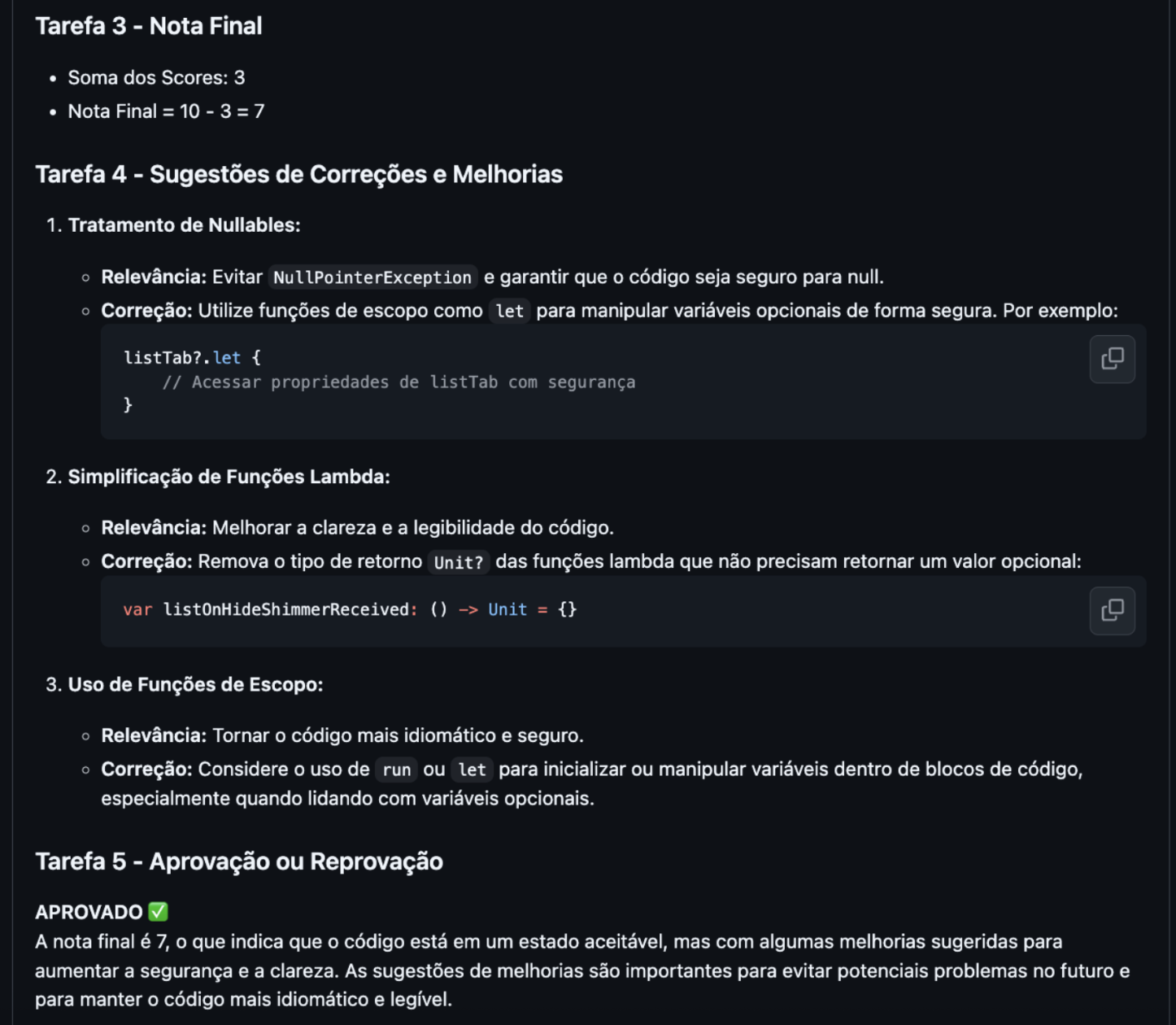
At the end, your code receives an overall score ranging from 0 to 10.
- You start with a score of 10;
- If the score is 1, subtract 1 point. If the score is 2, subtract 2 points.
- The minimum passing score is 7.
Example:
- Compilation or runtime errors: score 0 ✅
- Possible vulnerabilities: score 0 ✅
- Performance improvements: score 0 ✅
- Syntax and formatting improvements: score 1
- Best practice opportunities: score 1
Final Score = 10 - 2 = 8
Result = APPROVED ✅