Share a Spot with a Link
You can create a Spot sharing link for easy access. This link automatically adds members of your organization to a Spot.
Follow the steps below:
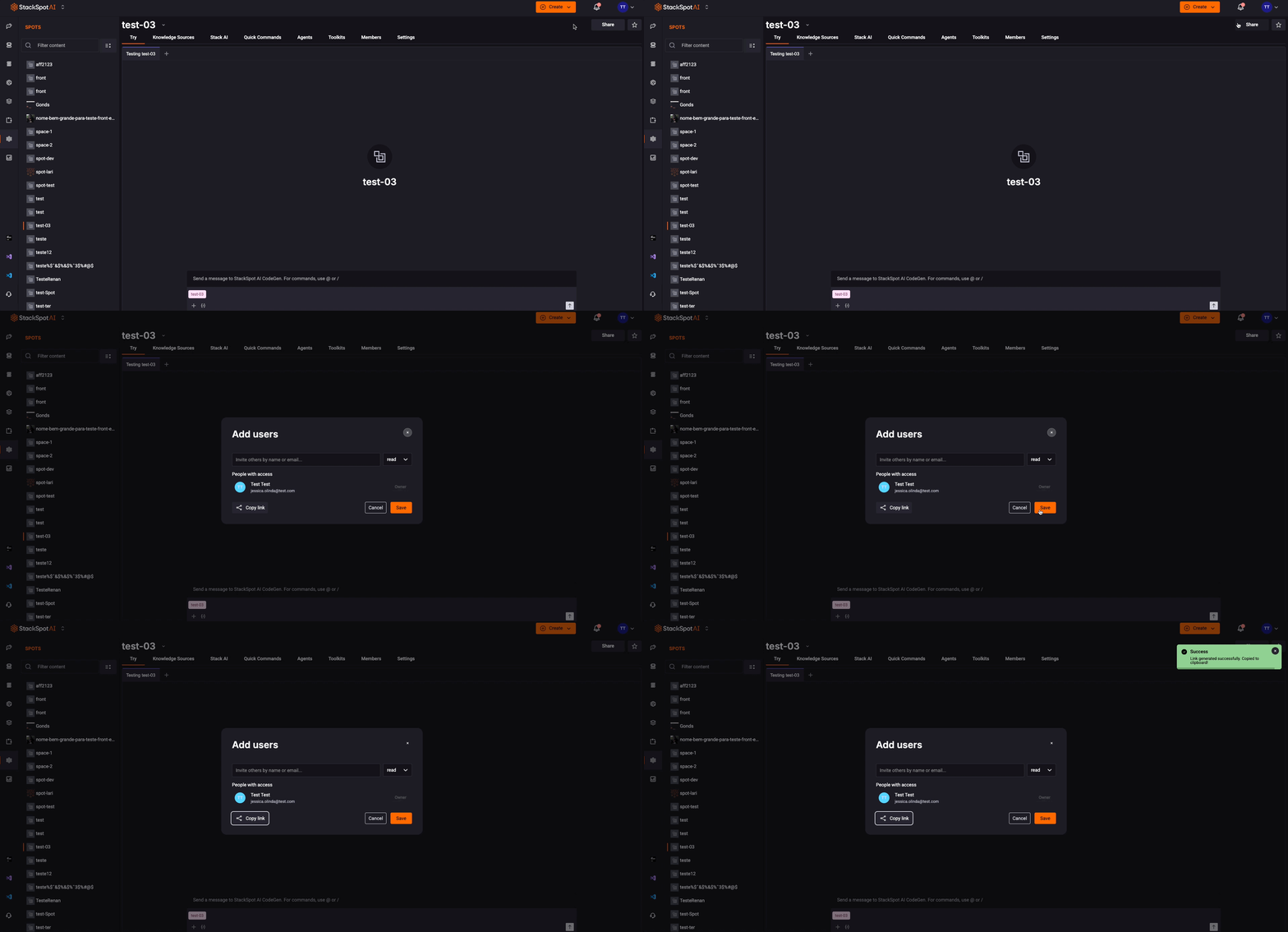
Step 1: Access the StackSpot AI Portal;
Step 2: Select the Spot you wish to share;
Step 3: Click the ‘Share‘ button;
Step 4: Now, click the ‘Copy Link‘ button to share the link.
When someone clicks the link, they will be added to the Spot and have only Read access. If you want to give them Write access, you need to change it after they are added to your Spot.
danger
If you share the link with people outside your organization, it will not work, and the user will receive an error message.